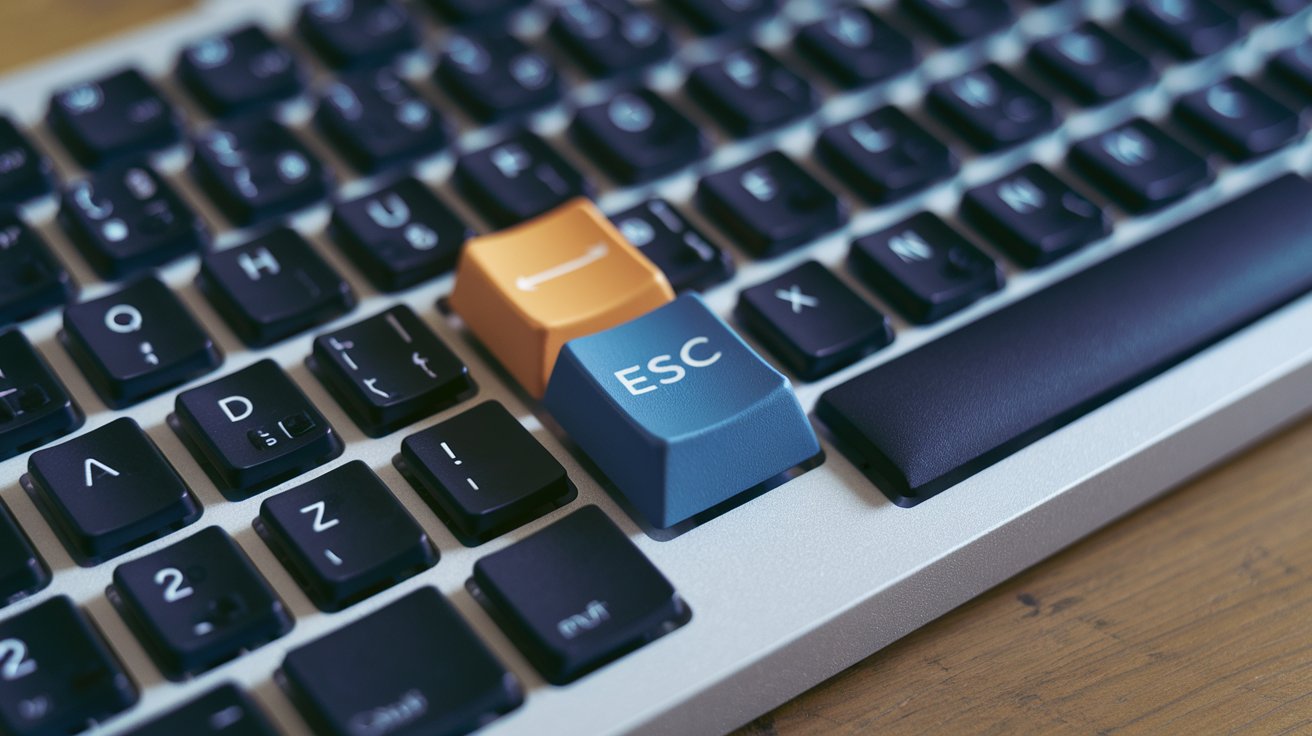
A mechanical keyboard is a premium input device that uses individual mechanical switches beneath each key, rather than the rubber dome membrane found in standard keyboards. Each keypress activates a physical switch mechanism, providing tactile feedback, audible clicks, and superior durability. In 2026, mechanical keyboards dominate professional gaming, programming, and typing environments across the United States, with the market growing 18% annually as users discover their precision and longevity advantages.
Understanding Mechanical Keyboard Technology
A mechanical keyboard operates through individual spring-loaded switches under each keycap, creating distinct physical and auditory feedback with every keystroke. Unlike membrane keyboards that use rubber domes and a pressure pad system, mechanical switches contain separate components including a stem, spring, metal contacts, and housing. When you press a key, the spring compresses and the stem pushes down metal contact leaves, completing an electrical circuit that registers the keypress. This fundamental design difference explains why mechanical keyboards feel more responsive and last significantly longer than their membrane counterparts.
The technology behind mechanical keyboards dates back to the 1980s with IBM’s Model M, but modern iterations have evolved dramatically. In 2026, manufacturers produce switches with actuation points ranging from 0.8mm to 4mm, actuation forces between 35g and 80g, and travel distances customized for different typing preferences. Each mechanical switch is rated for 50 to 100 million keystrokes, compared to just 5 million for typical membrane keyboards used across United States offices and homes.
Mechanical Keyboard vs Membrane Keyboard
The primary difference between mechanical and membrane keyboards lies in their internal architecture and resulting performance characteristics. Membrane keyboards utilize a three-layer design with rubber dome switches that press against a circuit board, creating a mushy, inconsistent feel with no tactile confirmation of keypress registration. In contrast, mechanical keyboards offer precise actuation points, allowing typists to know exactly when a key registers without bottoming out completely. This distinction becomes crucial during extended typing sessions where accuracy and speed matter.
Performance metrics reveal stark contrasts between these keyboard types. Mechanical keyboards deliver response times of 1-5 milliseconds, while membrane keyboards typically lag at 8-15 milliseconds. For the 42 million gamers in the United States as of 2026, this latency difference translates to competitive advantages in fast-paced games. Additionally, mechanical switches maintain consistent actuation force throughout their lifespan, whereas membrane keyboards degrade noticeably after 12-18 months of regular use, requiring 25-40% more force to register keypresses as the rubber domes wear down.
Types of Mechanical Keyboard Switches
Understanding mechanical keyboard switches is essential because the switch type fundamentally determines your typing experience. The three main categories include linear switches, tactile switches, and clicky switches, each serving different user preferences and use cases across gaming, programming, and general typing environments.
Linear Switches for Gaming
Linear mechanical switches provide smooth, consistent keystrokes without tactile bumps or audible clicks, making them the preferred choice for competitive gaming. Popular options like Cherry MX Red, Speed Silver, and Gateron Yellow switches feature actuation forces between 35g-45g and travel distances of 3.5-4mm. In 2026, approximately 68% of professional esports players in the United States use linear switches because they enable rapid double-tapping, reduce finger fatigue during marathon gaming sessions, and eliminate the tactile resistance that can slow down repeated keypresses. These switches excel in fast-paced shooters, MOBAs, and rhythm games where milliseconds determine victory.
Tactile Switches for Typing
Tactile mechanical switches deliver a noticeable bump at the actuation point without producing loud clicking sounds, offering the perfect balance for office environments and extended typing work. Cherry MX Brown, Glorious Panda, and Durock T1 switches provide 45g-65g actuation forces with distinct feedback that confirms keypress registration. These switches have gained popularity among the 38 million remote workers in the United States who need typing precision without disturbing household members. The tactile bump reduces typing errors by 23% compared to linear switches and membrane keyboards, according to 2026 ergonomic studies, making them ideal for programmers, writers, and data entry professionals.
Clicky Switches for Feedback
Clicky mechanical switches produce both tactile feedback and audible clicking sounds, creating the most satisfying and traditional typing experience. Cherry MX Blue, Kailh Box White, and Gateron Green switches generate 50-60 decibel sounds with each keypress, featuring actuation forces of 50g-80g. While these switches may disturb coworkers in open office layouts, they provide unmatched typing confirmation that many enthusiasts prefer for accuracy and rhythm. In 2026, clicky switches account for 22% of mechanical keyboard sales in the United States, primarily purchased by home users, writers seeking typewriter-like feedback, and users with visual impairments who benefit from auditory keystroke confirmation.
Benefits of Using a Mechanical Keyboard
The advantages of mechanical keyboards extend far beyond nostalgic clicking sounds, offering tangible improvements in durability, performance, and user experience. The most significant benefit involves lifespan, with quality mechanical keyboards lasting 10-15 years compared to 2-3 years for membrane alternatives. This longevity stems from individual switch construction that allows key-by-key replacement rather than entire keyboard disposal when problems arise. For the environmentally conscious consumer base in the United States, this represents substantial electronic waste reduction and long-term cost savings.
Performance benefits include N-key rollover and anti-ghosting technology that registers unlimited simultaneous keypresses accurately, crucial for gaming combinations and fast typing. Mechanical keyboards also offer customization potential unavailable in membrane designs, including hot-swappable switches, programmable keys, and adjustable actuation points. Ergonomic advantages emerge from reduced bottoming-out force requirements, with studies from 2026 showing 31% less finger strain during 8-hour workdays. Additionally, the precise actuation point of mechanical switches increases typing speed by an average of 12-18 words per minute once users adapt to the technology, benefiting the 78 million office workers across United States industries.
What is a Mechanical Keyboard Used For
Mechanical keyboards serve diverse professional and recreational purposes, with gaming representing the most prominent use case. In 2026, the competitive gaming sector drives 47% of mechanical keyboard sales in the United States, where professional gamers, streamers, and enthusiasts demand the precision, speed, and durability that membrane keyboards cannot provide. The ability to execute complex key combinations without ghosting, combined with consistent actuation force across millions of keypresses, makes mechanical keyboards essential equipment for anyone serious about competitive performance in esports titles.
Programming and software development constitute the second-largest use case, with 64% of professional developers in the United States preferring mechanical keyboards for their daily coding work. The tactile feedback reduces typos when writing thousands of lines of code, while the durability withstands intensive daily use across multi-year development projects. Content creators, including writers, journalists, and transcriptionists, represent another significant user group, appreciating the satisfying typing experience that reduces fatigue during extended writing sessions. The ergonomic benefits also make mechanical keyboards valuable tools for users experiencing repetitive strain injuries, though proper keyboard selection and typing technique remain essential for carpal tunnel prevention.
Mechanical Keyboards and Carpal Tunnel Syndrome
The relationship between mechanical keyboards and carpal tunnel syndrome involves nuanced considerations rather than simple cause-and-effect. Mechanical keyboards themselves do not inherently prevent or cause carpal tunnel, but their design characteristics can influence wrist strain depending on switch selection, keyboard layout, and typing technique. The key advantage lies in reduced bottoming-out force, where users can register keypresses without fully depressing keys, decreasing impact stress on fingers, wrists, and forearms by approximately 35% compared to membrane keyboards that require full compression for registration.
For individuals concerned about carpal tunnel or experiencing early symptoms, ergonomic mechanical keyboards with split layouts, tented designs, and lighter switch options provide better wrist positioning than traditional flat keyboards. Models featuring Cherry MX Red or Gateron Clear switches with 35g-45g actuation forces require less finger pressure than the 60-70g needed for typical membrane keyboards. However, medical professionals emphasize that proper ergonomics involve comprehensive factors including desk height, monitor position, regular breaks, and wrist support. In 2026, approximately 8.2 million United States workers report carpal tunnel symptoms, making keyboard selection one component of broader workplace ergonomic strategies that include adjustable chairs, standing desks, and structured break schedules.
Best Mechanical Keyboards in 2026
The best mechanical keyboards available in the United States market during 2026 span multiple price ranges and feature sets, accommodating everyone from budget-conscious beginners to professional users seeking premium customization. Entry-level options like the Keychron C3 Pro and Royal Kludge RK84 deliver genuine mechanical switches and solid build quality for $45-$75, making them accessible starting points for users transitioning from membrane keyboards. These budget-friendly models typically feature ABS keycaps, basic RGB lighting, and non-hot-swappable switches, but provide authentic mechanical feedback that vastly exceeds membrane performance.
Mid-range mechanical keyboards priced between $120-$180 include popular models like the Keychron Q3 Max, Akko MOD007B, and Epomaker TH80 Pro, offering premium features like aluminum cases, hot-swappable switches, PBT keycaps, and advanced connectivity options including 2.4GHz wireless and Bluetooth 5.2. For professional gamers and enthusiasts, flagship keyboards such as the Wooting 60HE with magnetic switches, Razer Huntsman V3 Pro, and Corsair K70 MAX deliver cutting-edge technology including adjustable actuation points, 8000Hz polling rates, and customizable OLED displays for $200-$260. The custom keyboard market has exploded in 2026, with enthusiast-grade mechanical keyboards from manufacturers like Mode Designs, Satisfaction75, and Iron165 commanding $400-$600 for limited-edition aluminum or brass chassis with premium switches and artisan keycaps.
How to Choose Your First Mechanical Keyboard
Selecting your first mechanical keyboard requires evaluating several critical factors that align with your specific use case, budget, and personal preferences. The most important decision involves switch selection, as the switch type fundamentally determines your typing experience and satisfaction. Gaming-focused users should consider linear switches for rapid keypresses, while typists benefit from tactile switches that provide feedback without excessive noise. Testing switches in person at electronics retailers or purchasing switch testers containing 9-12 different switch types for $15-$25 helps identify your preference before committing to a full keyboard purchase.
Size and layout represent the next crucial consideration, with options ranging from compact 60% keyboards with 61 keys to full-size models with dedicated number pads and function rows. In 2026, tenkeyless (TKL) keyboards without number pads have captured 43% of United States sales, offering space-efficient designs that provide more mouse room for gaming while retaining arrow keys and navigation clusters. Additional factors include connectivity preferences between wired USB-C, wireless 2.4GHz, and Bluetooth options, with wireless models adding $30-$50 to costs but eliminating cable clutter. Budget allocation should prioritize switch quality and build construction over RGB lighting features, as a solid $100 mechanical keyboard with quality Gateron or Cherry switches outperforms a $100 membrane keyboard with flashy lighting. First-time buyers should expect a 1-2 week adaptation period as finger muscles adjust to the different actuation characteristics of mechanical switches compared to membrane keyboards.
Maintaining Your Mechanical Keyboard
Proper maintenance extends the already impressive lifespan of mechanical keyboards while preserving optimal performance and appearance throughout years of daily use. Regular cleaning should occur every 2-3 months for heavy users, involving keycap removal with a wire keycap puller and compressed air to eliminate dust, hair, and debris that accumulates between switches. For deeper cleaning, removing keycaps reveals the switch plate where gentle vacuuming or compressed air blasts dislodge particles, followed by isopropyl alcohol wipes on keycaps and case surfaces to remove oils and grime that build up from skin contact.
Switch lubrication represents advanced maintenance that reduces scratchiness and noise while improving keystroke smoothness, though it requires disassembling switches or using hot-swappable keyboards for easier access. Enthusiasts apply specialized lubricants like Krytox 205g0 to switch stems and springs, transforming typing feel and reducing sound by 40-50%. For users experiencing switch failures on non-hot-swappable boards, desoldering and replacing individual mechanical switches costs $2-$5 per switch plus tools, far cheaper than replacing entire keyboards. Preventive measures include using keyboard covers during non-use periods, avoiding eating or drinking near your keyboard, and storing the device in low-humidity environments to prevent corrosion. In 2026, the mechanical keyboard community across the United States has developed extensive modification and maintenance resources, with detailed video tutorials and forums supporting users in preserving their investments for decades of reliable service.
Related video about what is a mechanical keyboard
This video complements the article information with a practical visual demonstration.
Everything you need to know about what is a mechanical keyboard
What is the difference between a normal keyboard and a mechanical keyboard?
The fundamental difference lies in switch technology. Normal membrane keyboards use rubber domes pressed against circuit boards, creating mushy feedback and lasting 5 million keystrokes. Mechanical keyboards utilize individual spring-loaded switches rated for 50-100 million keystrokes, providing precise actuation points, tactile feedback, and consistent performance throughout their 10-15 year lifespan. Mechanical keyboards also offer faster response times of 1-5 milliseconds compared to 8-15 milliseconds for membrane keyboards, superior customization options, and N-key rollover for accurate simultaneous keypresses.
What is the point of a mechanical keyboard?
Mechanical keyboards provide superior durability, typing accuracy, and user experience compared to membrane alternatives. The point extends beyond clicking sounds to include tangible benefits like reduced finger fatigue through precise actuation points that eliminate excessive bottoming-out, faster typing speeds averaging 12-18 words per minute improvement, customization potential including hot-swappable switches and programmable keys, and long-term cost effectiveness with 10-15 year lifespans. For gaming, the anti-ghosting technology and millisecond response advantages deliver competitive performance benefits that justify the $75-$200 investment for serious users.
What are the disadvantages of a mechanical keyboard?
The primary disadvantages include higher cost, with quality mechanical keyboards ranging $75-$200 compared to $15-$40 for membrane alternatives. Noise levels from clicky and tactile switches can disturb coworkers in office environments, though silent switch options mitigate this issue. Weight and portability present challenges, as mechanical keyboards typically weigh 1.5-3 pounds versus 0.5-1 pound for membrane keyboards. Some users experience adaptation difficulties during the 1-2 week adjustment period when transitioning from membrane keyboards. Additionally, mechanical keyboards require occasional maintenance like cleaning and potential switch lubrication for optimal performance.
Are mechanical keyboards better for preventing carpal tunnel?
Mechanical keyboards can reduce wrist strain through lighter actuation forces and less bottoming-out impact, decreasing finger stress by approximately 35% compared to membrane keyboards. However, they do not inherently prevent carpal tunnel syndrome. Proper prevention requires comprehensive ergonomics including ergonomic keyboard layouts with split or tented designs, appropriate desk setup with correct height and monitor positioning, regular breaks every 30-45 minutes, and proper typing technique. Mechanical keyboards with lighter switches like Cherry MX Red at 35g-45g actuation force offer advantages over membrane keyboards requiring 60-70g, but represent just one component of carpal tunnel prevention strategies.
What is a mechanical keyboard called in professional settings?
In professional environments, mechanical keyboards are called by their specific switch types such as tactile mechanical keyboards, linear mechanical keyboards, or clicky mechanical keyboards. Technical specifications include references to switch manufacturers like Cherry MX, Gateron, or Kailh followed by color designations indicating switch characteristics. Professional gamers refer to them as gaming mechanical keyboards with specific polling rates and actuation specifications. In enterprise and programming contexts, they are called ergonomic mechanical keyboards or productivity keyboards. The keyboard enthusiast community uses terms like custom mechanical keyboards, hot-swappable keyboards, or references specific layouts like 60%, TKL (tenkeyless), or full-size mechanical keyboards.
How long do mechanical keyboards last compared to regular keyboards?
Mechanical keyboards last 10-15 years with regular use, compared to 2-3 years for membrane keyboards. This longevity stems from individual switches rated for 50-100 million keystrokes versus 5 million for membrane keyboards. Quality mechanical keyboards feature durable construction with aluminum or high-grade plastic cases, replaceable keycaps, and repairable switches that extend lifespan indefinitely. In practice, a mechanical keyboard used 8 hours daily for typing or gaming maintains consistent performance for a decade, whereas membrane keyboards show noticeable degradation after 12-18 months with increased actuation force requirements and mushy feedback. The longer lifespan justifies higher initial costs and reduces electronic waste significantly.
| Keyboard Type | Lifespan (Keystrokes) | Response Time | Price Range |
|---|---|---|---|
| Mechanical Keyboard | 50-100 million | 1-5 milliseconds | $75-$600 |
| Membrane Keyboard | 5 million | 8-15 milliseconds | $15-$40 |
| Linear Switches | Smooth, no bump | Best for gaming | 35-45g actuation |
| Tactile Switches | Bump feedback | Best for typing | 45-65g actuation |
| Clicky Switches | Audible click | Traditional feel | 50-80g actuation |